
Our little Mia is turning 3 soon, and I wanted to have some fun with the birthday party invitation. A simple text message is all it really takes, but I took it as an opportunity to try out some new things in web development and actually get it done on a deadline.
These days, new things means AI. I’ve used Google Gemini a lot for work and have played with Lovable a bit, so for this project I wanted to try the recently announced Claude Design. I asked for a rainbow theme and it gave me 3 options. I loved one theme it called “pastel dream” with nice touches like an animated rainbow and a countdown timer. I iterated on that (120 times!) to add my own touch, like a party cat (get it?) sitting on a cloud puff with speech bubbles and meow sounds.
From there, I handed off to Claude Code to finish it. I mostly asked Claude to try different things and implement changes I wanted, with Gemini reviewing the PRs. Over 70 (!) pull requests later, I was satisfied: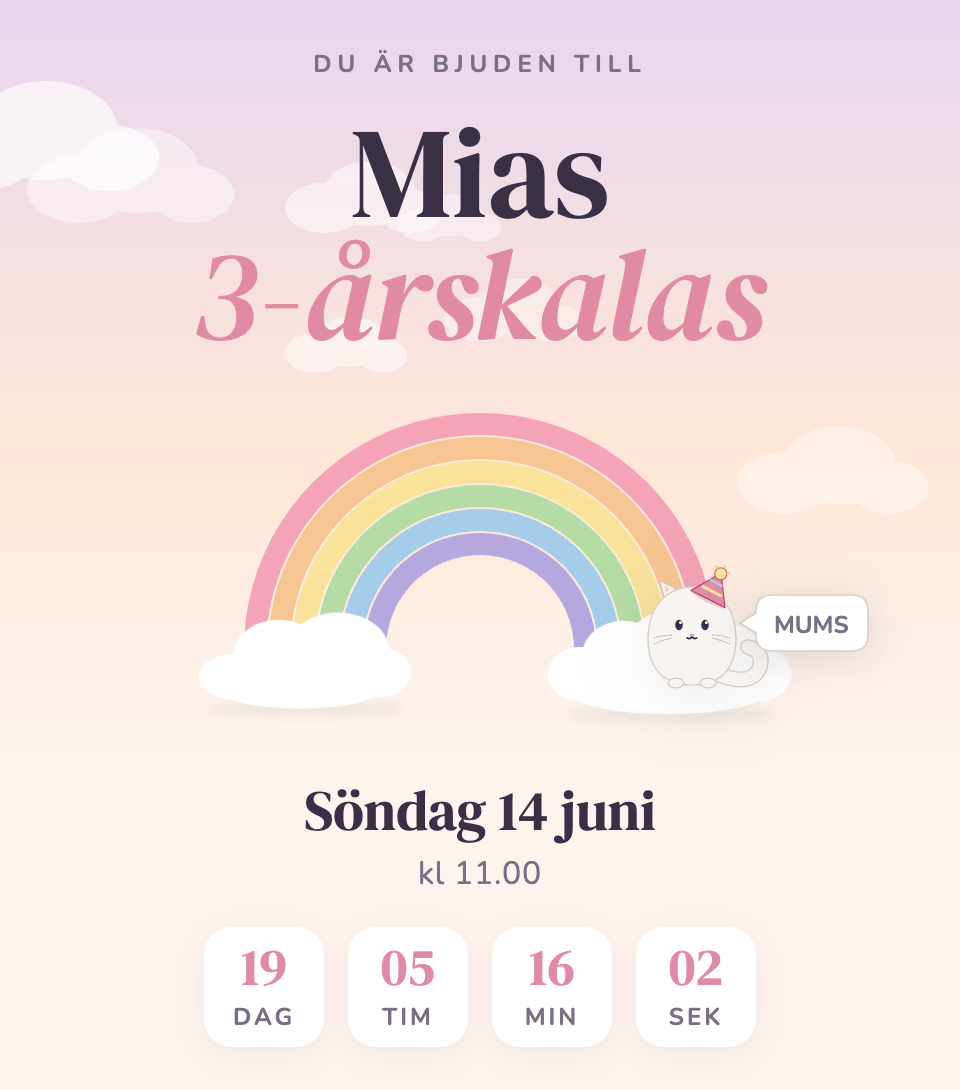
Some reflections on what went well, and what’s still hard (for me) with AI tooling in 2026.
The Good
- Throw-away exploration: For any choice I doubted, I could try alternatives, and not just one. I asked for conversions of the original React project to vanilla custom elements, Preact, Svelte, Enhance, Qwik, and Astro. I would never prototype 6 options by hand and throw away 5, but I love this kind of fast exploration with AI. In the end, Astro with custom elements was a great fit – no client-side framework and JS only for components that need it.
- Gemini Code Assist is helpful as a GitHub app. It catches bugs and has generally good taste.
- 🌈 custom font: I used a rainbow emoji, but the colors were much too strong for the pastel theme. Claude easily made a custom single-glyph font using fonttools. LLMs are really quite good at one-off scripts like this. You could have a lot of fun with site-specific emojis, I think.
- A custom domain was mine for only 9 SEK for one year, which is fine for something I will let expire. I just set the name servers to Netlify, waited, waited some more, and everything worked!
- Netlify forms to save the responses were easy to set up, and free!
- SVG is great for crisp animated graphics, and fast to download too!
- Rainbow swipe across the screen when RSVP’ing replaced Claude’s suggested confetti and is delightful, if I may say so.
The Bad
- React is not a sensible default for a single-page site! You won’t get good Lighthouse scores and you won’t impress your browser engineer friends this way. The structure probably helps coding agents just like it helps humans, but it’s Quite Bad™ if AI tools produce slow web experiences by default when they’re clearly capable of making them fast.
- Not responsive out of the box, the design was mobile only, just a narrow column on desktop. Getting it right required using DevTools to find the bugs and verify fixes.
- Color contrast is insufficient per WCAG but I left it alone since I like the look and couldn’t improve contrast within the pastel theme.
- Font sizes were OK initially, but the conversion to Astro made a mess with many font sizes, the smallest being 9.5px. Consolidated to 4 common sizes and a minimum of 12px.
- Animations lacked polish. Cloud animations weren’t seamless when looping and the drift speed changed when the window was resized. Clicking the rainbow should play the animation again (for fun) but I ran into differences between browsers which I have yet to minimize and file bugs for. Fixed by using CSS transitions instead.
- Web fonts look great once loaded, but loading fast and avoiding layout shift is a lot of work. You need to host yourself and use
<link rel=preload>for minimum latency, subset to only used glyphs or Unicode ranges to reduce size, use metric-adjusted fallback fonts to avoid layout shift, and pick betweenfont-display: blockandfont-display: swapbehavior for slow networks. There is tooling for some of this, but it feels like artisanal polish, not great by default. - Social preview via
og:imagealso works in text messages and looks quite impressive when you receive the message. I found out about this feature from Lovable which can generate an image, but what if you change the design? I ended up making a custom Astro page with a 1200x630 element for Puppeteer to screenshot. Very nice result, see below, but too much work. - Web Audio meow sounds were haunted and Claude couldn’t improve it, so I deleted that feature. A shame, I think little sound effects on a page like this would be magical.
I didn’t use Modern Web Guidance for this, but will next time, as it has guidelines on many of the things I’ve listed here.
The Ugly Beautiful Result
The site is live at kolifej.se. Please don’t break it.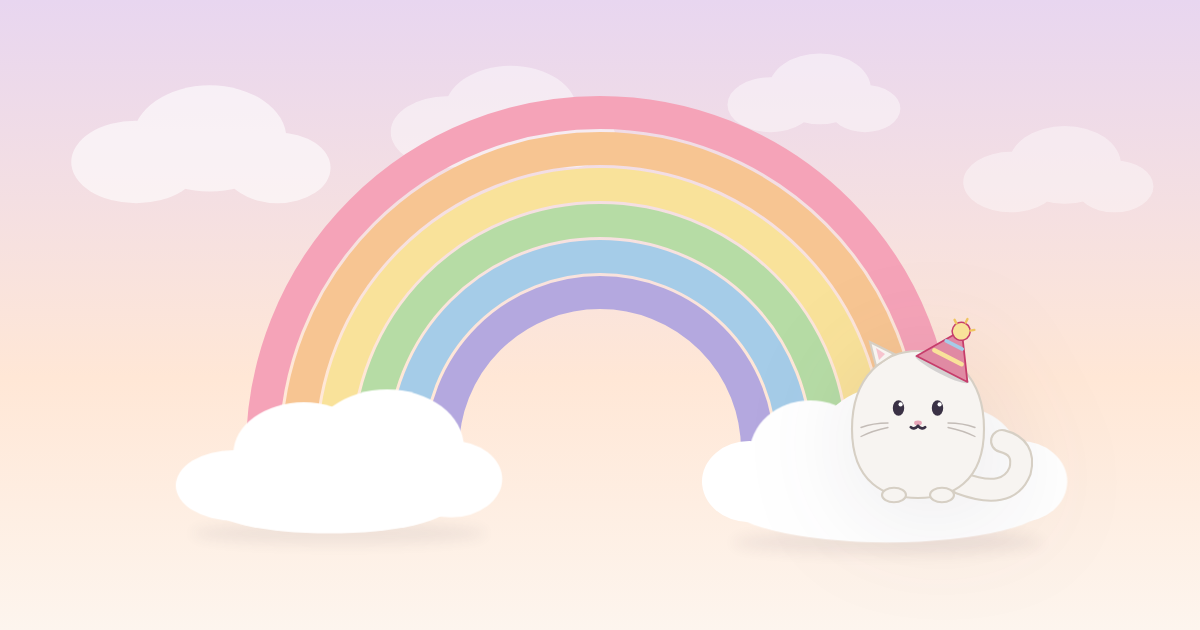
og:image, used for text message previews
This blog post was written by hand on a deadline.
P.S. Pappa älskar dig, Mia!